
Creating a caricature of yourself used to require a street artist and 20 minutes of sitting still. Now, with our AI caricature generator, you can create professional results through a guided online workflow. Generation time varies with the image and selected settings.
Open the AI Caricature Generator and start with your photo
1. Choose the Right Photo
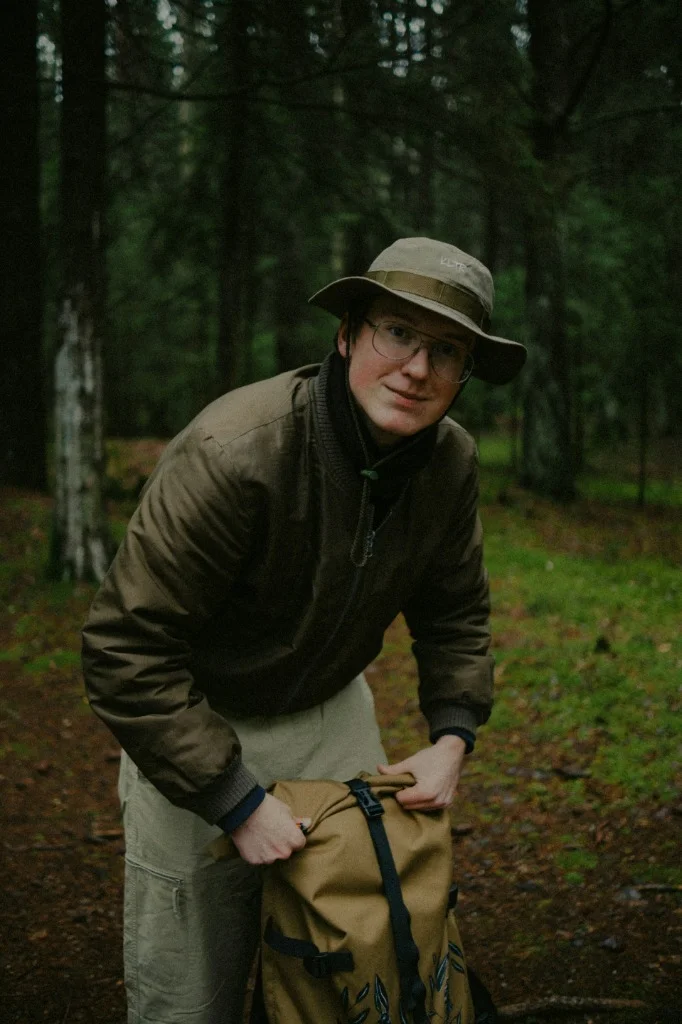
The AI works best when it has a clear view of your features.
- Front-facing: Avoid side profiles.
- Good lighting: Ensure there are no heavy shadows across your face.
- High resolution: A clear selfie is better than a blurry group photo.
- One visible face: Crop out extra people so the generator can focus on you.
Here is the kind of clear, centered portrait that gives the generator useful facial detail:
2. Choosing Your Style
We offer two main styles for those looking to "caricature me":
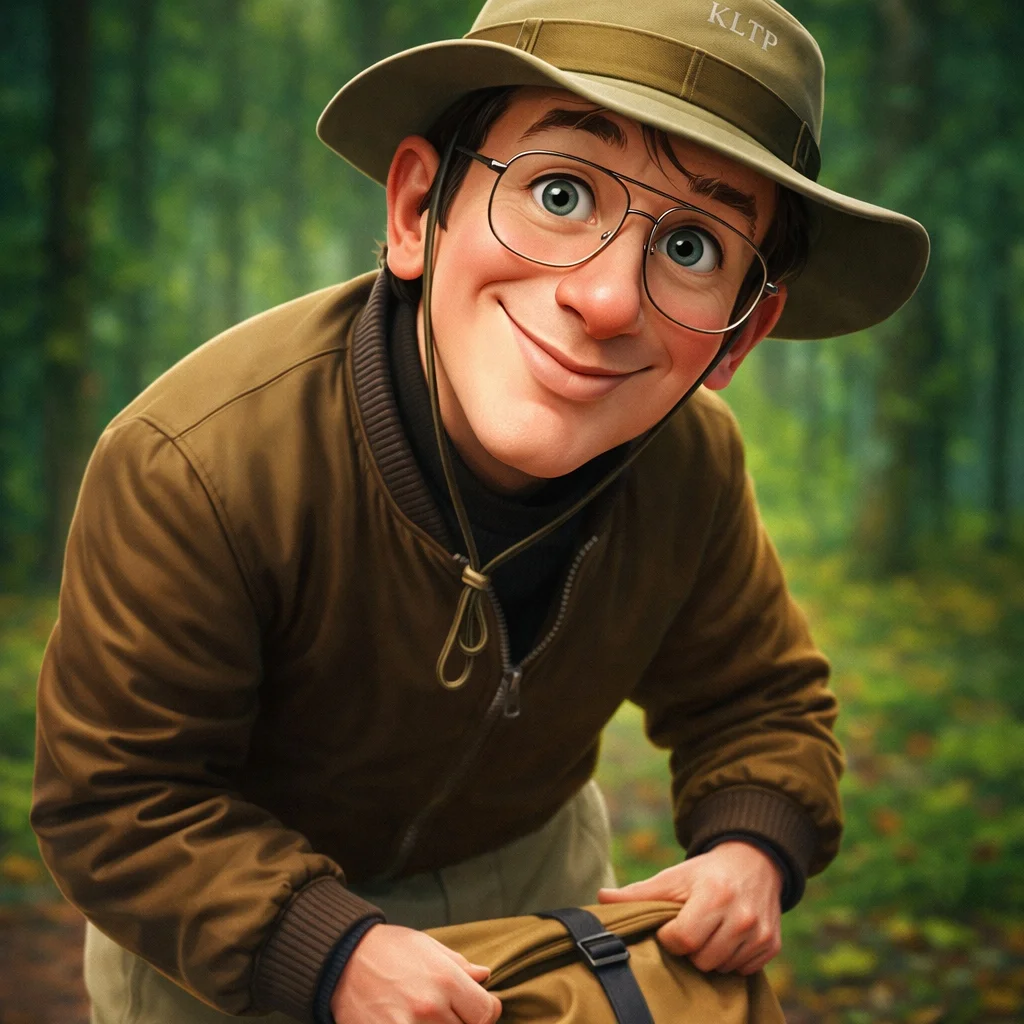
- Classic Exaggerated: Best for a playful caricature profile picture. It emphasizes a large head, facial features, and an expressive pose.
- Professional Character: Adds a career theme. The professional caricature maker combines your portrait with matching clothing, props, and scene details.
3. Adjust the Exaggeration and Format
Use the caricature generator to compare style, exaggeration, size, and quality settings. Start with moderate exaggeration and change one setting at a time when reviewing likeness.
Choose subtle exaggeration when likeness matters most, standard for a clearly cartoon-like result, or extreme for a more playful effect. A square format works well for avatars, while portrait or landscape formats suit cards and presentations.
If the result will be used as an avatar, read the photo-to-caricature guide before uploading so the face remains clear at a small size.
4. Add Optional Details
If you want something specific, like "wearing a space suit" or "standing in a neon city," use the advanced prompt field. It appends your detailed ideas to our base AI model.
Keep optional details short and concrete. Describe clothing, a prop, or a background without replacing the person's identity.
5. Generate, Review, and Download
- Upload one clear portrait.
- Choose Classic Exaggerated or Professional Character.
- Select the exaggeration level, format, and available quality.
- Review the credit cost shown in the generator, then submit.
- Check the result for likeness and download the version you want to keep.
AI outputs vary, so a second generation can produce a different expression or composition. Start with moderate settings if preserving likeness is your main goal.
Ready to start?
Create a caricature of me with the AI generator
Choosing a specific use case?
If you are deciding between an avatar, a personal gift, and a career portrait, the caricature maker explains how to plan the composition and check the finished image for each occasion.
Use the profile picture guide for a social avatar, or open the professional caricature maker for a career-themed portrait.
Finish a birthday card or printed portrait
For a personal card, follow the birthday caricature maker guide: choose one personal theme, leave a quiet greeting area, then add accurate names and wording after download. Check the face and message together in the final layout before sending it.
For a physical gift, use the caricature print size guide to calculate inches and centimeters from the actual downloaded pixels. Cropping reduces the available image area, so use the dimensions of the version you will print. Confirm your provider’s required PPI, template, and proofing process before ordering.